Seedance 2.5 Prompting Guide
July 30, 2026
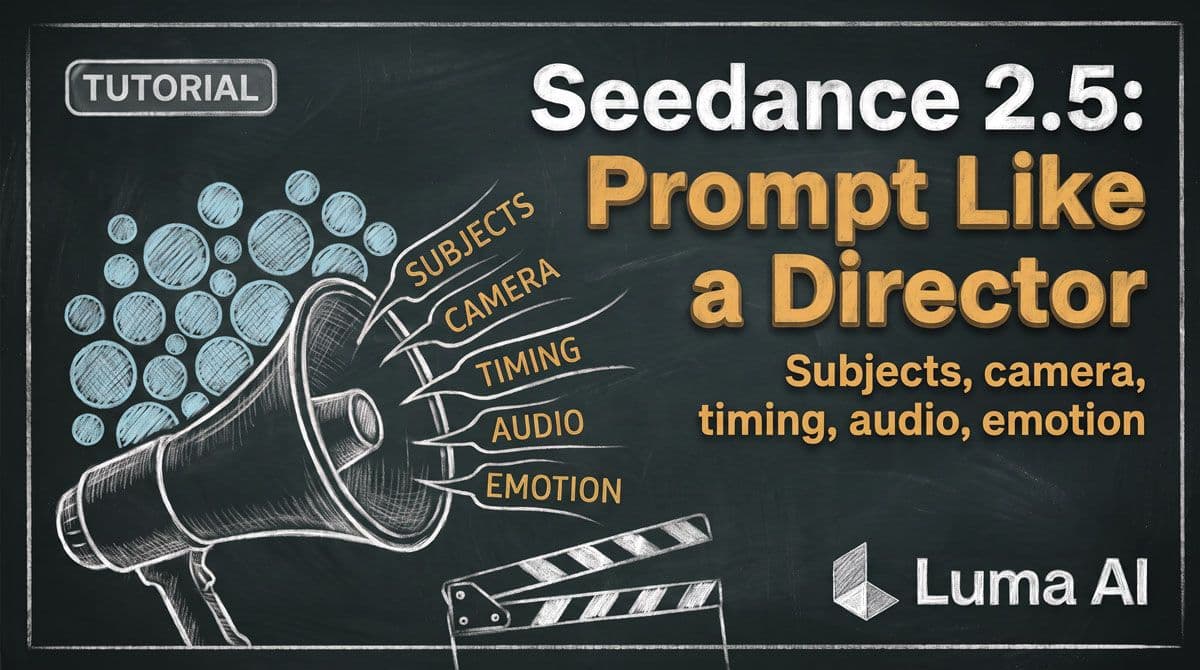
Prompt Seedance 2.5 Like a Director
A good Seedance 2.5 prompt does not need to be enormous.
It needs to make the important decisions clear.
The recommended prompt formula is:
Subject + Action or Event + Scene and Environment + Visual Style + Camera Movement/Cut + Audio
And importantly, most of those components are optional.
That gives you a better rule than “write more”:
Describe the parts of the video you actually need to control.
Start with subject + action
The foundation is simple:
Who or what is doing what?
Instead of:
A cinematic woman in a train station.
Try:
A woman in a red wool coat walks through an almost empty train station and stops when she hears footsteps behind her.
Now the model has an event to stage.
From there, add environment, camera, style, and audio only when they matter.
Build prompts from macro to micro
A useful working order is:
Intent
What is this generation supposed to accomplish?
References
Which assets matter, and what does each control?
Subject + event
What happens?
Environment
Where does it happen?
Camera
How do we see it?
Sequence
How does it progress?
Audio
What should we hear?
Style + constraints
What should stay visually consistent?
You do not need to write those headings every time.
They are a way to organize your thinking.
Give every reference a role
Seedance 2.5 can combine image, video, and audio references, but references work best when their purpose is explicit.
Instead of:
Use @image1, @image2 and @video1.
Try:
@image1 defines Maya’s identity and facial features. @image2 defines her red coat and black boots. @video1 is a reference for the restrained running performance and handheld camera movement.
Seedance 2.5 goes even further for multi-reference scenes:
- name and map each important subject
- group materials by type
- create a centralized profile for recurring subjects
- choose the references needed for each scene
That last point is especially useful.
You do not need every reference in every shot.
Use the materials that matter to the scene you are making.
Keep recurring descriptions stable
If the same character appears across several generations, avoid reinventing their description.
For example:
Maya is a woman in her early thirties with short auburn hair, narrow silver glasses, a charcoal coat, and black gloves.
If that description is working, reuse it.
Do the same for:
- wardrobe
- products
- environments
- important props
- lighting
- visual style
Continuity becomes harder when your own prompt keeps changing.
Organize longer clips into stages
ByteDance’s guidance for 30-second video specifically recommends organizing events into stages and end states.
That is a useful framework at almost any duration.
Instead of describing six events in one paragraph:
Stage 1: establish the situation.
Stage 2: something changes.
Stage 3: the subject responds.
End state: clearly describe where the scene should land.
For example:
0–5s: Maya enters the apartment. The lamp is already on.
5–10s: She freezes and looks toward the living room.
10–15s: The camera reveals an open drawer in the foreground.
End state: Maya remains in the doorway, watching the dark room ahead.
The end state matters because it gives the sequence somewhere to arrive.
Use timestamps for important timing
Seedance 2.5 can respond to instructions tied to specific moments in the video.
Use timestamps when:
- an action must happen at a particular moment
- the camera should change at a particular beat
- dialogue or sound needs timing
- one scene should transition into another
- you need a clearer rhythm
You do not need to timestamp every second.
Mark the beats that matter.
For normal narrative work, a useful field-tested starting point is around three or four meaningful beats per 15 seconds.
If everything is happening at once, nothing gets enough time to read.
Montages are the exception
Montage prompting works differently.
If your goal is to create lots of editing coverage, you can deliberately ask for faster cuts, varied angles, inserts, close-ups, wides, and unexpected moments.
The density is intentional because the final generation is not necessarily the final edit.
For narrative scenes:
prioritize clarity.
For montage generations:
prioritize options.
Knowing which one you are making prevents a lot of frustration.
Describe emotion as performance
Instead of:
He is angry.
Describe what anger does:
His jaw tightens. He takes one slow breath through his nose. His right hand closes into a fist while he keeps his eyes fixed on the other man.
Instead of:
She becomes nervous.
Try:
Her eyes move toward the door. Her shoulders tighten. She pauses before reaching for the handle.
You are converting an internal emotion into something visible.
Describe motion physically
Instead of:
He jumps impressively.
Try:
He takes three fast strides, pushes off from his left foot, clears the gap, and lands heavily with his knees bending on impact.
Give important movement:
- direction
- distance
- speed
- contact
- reaction
You do not need this detail for every background action.
Use it where the physical result matters.
Put sound next to the event
If you want your video generation to have audio, sound effects, soundtrack, speech, etc, should be part of your prompt formula.
You can direct:
- dialogue
- voice characteristics
- ambience
- sound effects
- music
For tightly directed scenes, it often helps to describe sound alongside the event producing it.
For example:
0–5s: She crosses the empty platform. Her shoes echo against the tile beneath the low hum of the station lights.
5–10s: A train rushes past behind her with a sudden metallic roar.
10–15s: The train disappears. A second set of footsteps becomes audible behind her.
The visual and audio timeline now describe the same scene.
A compact reusable template
Use this when you need more structure:
INTENT[What the generation needs to accomplish.]
REFERENCES@image1: [role]
@video1: [role]
@audio1: [role]
SUBJECT + EVENT[Who/what + the main action.]
ENVIRONMENT + STYLE[Location, lighting, materials, mood.]
CAMERA[Framing, angle, movement, cuts.]
SEQUENCE0–Xs: [event + camera + sound]
X–Xs: [event + camera + sound]
End state: [where the scene lands]
CONSTRAINTS[Only details that genuinely need protecting.]
One important note: generation parameters that are already configurable in the video generation UI do not need to be repeated inside the prompt.
Save your prompt space for creative direction.
Keep constraints purposeful
One useful lesson from experienced Seedance users is to avoid giant generic negative lists.
If a face drifted, address identity.
If the product changed shape, protect the product.
If unwanted characters appeared, constrain the background.
If the camera ignored your direction, simplify competing camera instructions.
The question should always be:
What problem am I trying to solve?
A helpful reminder
A prompt template is not a spell.
If the result is already 90% right, rewriting the entire thing may introduce five new variables.
Find the failure first.
Was it:
identity?
timing?
camera?
motion?
continuity?
sound?
too much happening?
Then change the instruction connected to that failure.
Controlled iteration teaches you much more than repeatedly rewriting everything.
Key takeaway
Prompt Seedance 2.5 like you're giving direction to your creative team
Start with the subject and event.
Give references clear responsibilities.
Structure longer clips into stages.
Use timestamps when timing matters.
Turn emotion into observable behavior.
And only control the details that actually need controlling.
Clarity beats prompt density. ALWAYS!